Chinese (Traditional)
  English
  Arabic
  Khmer
Khmer  Korean
  Lao
Lao  Russian
  Chinese (Simplified)
  Somali
  Spanish
  Tagalog
  Ukrainian
  Vietnamese
Using ADP is the fastest and easiest way to get your 2024 W-2. If you would like to go paperless this year, please make your choice in ADP by December 31, 2024.
HOW TO GO PAPERLESS
Step 1: Visit myADP.com and log in. If you do not have an account, please review our ADP guide to get started.
Step 2: On the ADP home screen, click on your initials in the top right corner. Then click Settings.
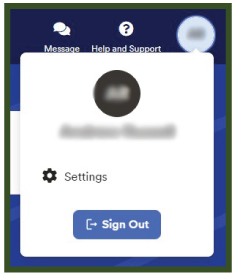
Step 3: Click Go Paperless.
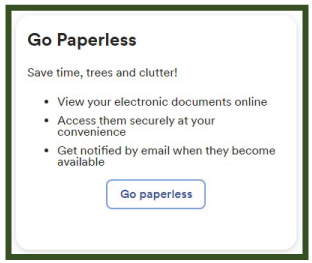
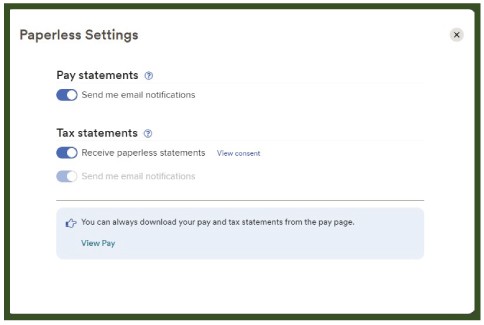
Step 4: Turn on the Tax Statements notifications.
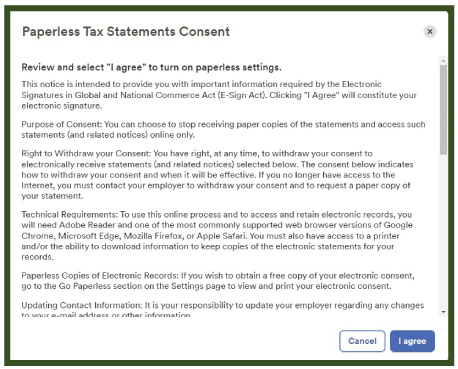
Step 5: Review the Go Paperless Consent. Then click I Agree.
If you do not go paperless, we will mail W-2s to the address we have on file as of December 13, 2024. Please update your address if you have moved. To update your address, send us an email.